Full tutorial · 2 min
HammerLock AI walkthrough
Setup choices, encrypted vault, agent routing, research flow, local tools, memory, and output review.
An AI assistant that lives on your device. AES-256 encrypted, with local tools, browser automation, voice, and encrypted memory — all local-first.
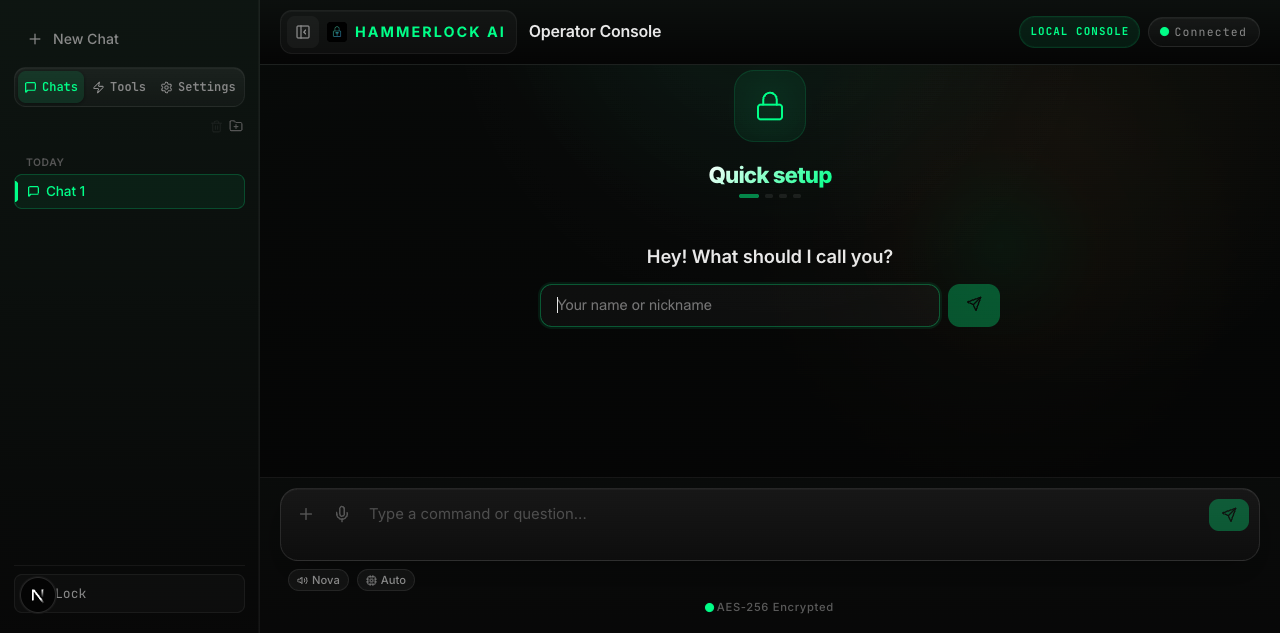
The short clip shows a real research pattern. The longer walkthrough explains how HammerLock is meant to be used: choose your runtime, create the encrypted vault, pick an agent, run the workflow, and save the result.
Setup choices, encrypted vault, agent routing, research flow, local tools, memory, and output review.
A founder, lawyer, analyst, or operator can research and draft without turning sensitive context into cloud-chat exhaust.
If your conversations, research, or strategy would hurt you in the wrong hands — HammerLock AI was built for you.
Research competitors, draft investor materials, and keep supported notes in your encrypted local vault. Cloud-model use still follows the provider you choose.
Review regulations and draft research memos with explicit human review. Privilege and compliance depend on your facts, configuration, and professional obligations.
Model scenarios, summarize public information, and draft reports locally or through a cloud provider you configure. Verify sensitive-data rules before use.
Load supported personas, SOPs, and research into a local workspace. Review any context before sending it to a configured cloud provider.
Free local-first software with encrypted storage, optional cloud providers, and no HammerLock subscription or usage meter.
Your conversations, personas, and files are AES-encrypted at rest on your device. When queries reach cloud LLMs, a built-in anonymizer scrubs personal details before they leave.
Live Brave Search with inline citations. Queries are PII-scrubbed before they leave your device, so search providers never see your name or company.
HammerLock AI remembers personas, plans, and preferences locally. Load it once and it stays encrypted on your device.
Speak naturally and HammerLock AI transcribes on the fly. Hands-free dictation when you're moving fast and need answers faster.
Calendar, notes, messaging, GitHub, smart home, browser automation, weather, PDF utilities, and more — all reachable from chat when configured on your machine.
Switch the entire operator console between English, Spanish, Portuguese, German, French, Chinese, Japanese, Korean, Arabic, Hindi, and Russian.
Use local models without a HammerLock fee, or bring your own cloud-provider keys.
Upload PDFs for instant analysis. Export conversations and reports as clean markdown. All files stay encrypted on your device.
Save chat responses, upload PDFs, and create private notes — all AES-256 encrypted on your device. Your vault is your personal knowledge base that only you can unlock.
Eleven built-in agents — Coach, Money, Content, Director, Strategist, Counsel, Analyst, Researcher, Operator, Writer, plus HammerLock AI as your default assistant — working alongside local tools and integrations like notes, calendar, messaging, GitHub, browser automation, voice, and more.
Instant chat. Instant rendering. No bloat. Built on a stripped-down stack that prioritizes speed over feature creep.
Eleven specialized agents — from fitness to finance to filmmaking. Switch between them with a single @mention. Each has domain-specific knowledge, a tailored communication style, and privacy guardrails. Build your own custom agents in seconds.
General-purpose encrypted assistant
Fitness plans, meal prep, habits, wellness tracking
Budgeting, debt payoff, savings goals, tax prep
Social posts, captions, hooks, content calendars
Video scripts, shot lists, marketing demos, voiceovers
Competitive analysis, go-to-market, M&A planning
Legal research, compliance memos, contract review
Financial modeling, scenario analysis, portfolio review
Deep research synthesis, literature review, citations
Task execution, SOPs, project tracking, ops management
Polished drafts, proposals, emails, blog posts
HammerLock AI is free to download and use. The real choice is how you want to run the intelligence layer behind the app.
Best for privacy, zero recurring cost, and unlimited local use.
Best when you want cloud models but still want HammerLock owning the UX and encrypted local context.
Best for companies evaluating a private internal AI surface with their own deployment and review requirements.
Run 100% local with Ollama for the most private setup, or connect your own API keys from OpenAI, Anthropic, Google, Groq, Mistral, or DeepSeek when you want cloud models.
Need install help or a team rollout? Reach us at info@hammerlockai.com
Product examples, not anonymous testimonials. Each flow is inspectable and should still be reviewed by the person operating it.
“Research a market, compare public claims, and save a working brief to the encrypted local vault.”
“Review a local document, surface questions, and draft a research memo without presenting the output as legal advice.”
“Summarize a local file, compare scenarios, and export a report while keeping the operator responsible for verification.”
“Turn a spoken request into a draft action, inspect the result, and keep consequential steps under operator control.”
“Run a supported local model through Ollama and keep chat history and saved context in the encrypted vault.”
“Draft customer follow-ups and task lists from local context, then review them before using the connected service.”
No cloud accounts. No data consent forms. Install the app, install Ollama, pull a model, and you're operational.
Install the desktop app and set an encryption password. That password is your key — we never see it, store it, or recover it. Your encryption, your rules.
Run local with Ollama (free, private) or connect cloud providers like OpenAI, Anthropic, or Google. HammerLock auto-routes to the fastest available model. Bring your own keys — no markup.
Answer a few quick questions and HammerLock AI builds your persona — your background, your context, your preferences. Encrypted locally, loaded every session.
Chat naturally, search the web, manage your calendar, send messages, control smart home devices, automate browser tasks, upload PDFs — all from one encrypted interface. Close it and it's locked.
HammerLock gives you a local mode and makes cloud-provider use a configuration choice. Review each provider's terms before sending sensitive data.
| Feature | Typical AI | HammerLock AI |
|---|---|---|
| Data stored on your device | ✕ | ✓ |
| AES-256 encryption at rest | ✕ | ✓ |
| PII scrubbed before cloud queries | ✕ | ✓ |
| Provider data handling | Varies by product | Local mode stays on-device; cloud mode follows provider terms |
| Specialized AI agents | ✕ | 11 agents + local integrations |
| Local tools & integrations | Limited | Available based on your setup |
| Browser automation | Varies | Available when configured |
| Persistent memory across sessions | ✕ | ✓ |
| Web search with cited sources | Limited | ✓ |
| Voice input | Some | ✓ |
| No account required | ✕ | ✓ |
HammerLock AI integrates OpenClaw, an open-source agent runtime, for model routing and tool execution. HammerLock adds its own encrypted, local-first workspace around that runtime.
OpenClaw is the open-source agent runtime bundled with HammerLock. It supplies model and tool connections; what is available depends on your configuration.
Connect supported providers and select a route appropriate to the task. Availability and fallback behavior depend on your configuration.
Provider guide →Run compatible models locally with Ollama. Model speed, capability, and hardware requirements vary.
Read the field guide →Configure more than one provider where supported so a workflow is not tied to a single model endpoint.
Inside OpenClaw →Supported providers can stream generated text into the interface as it arrives.
Streaming guide →Use your own API keys from any provider. Pay the providers directly at their rates. No markup, no middleman, no data routing through us.
API key guide →Built-in redaction can reduce exposure of common personal-data patterns before a cloud request. It is not a guarantee; review sensitive inputs.
Privacy architecture →Dedicated browser instance controlled from chat. Navigate sites, automate repetitive flows, and route into your local tool stack when your setup allows it.
Notes, calendar, messaging, GitHub, smart home, weather, PDF helpers, and more — all discoverable through the local tool gateway when configured on your machine.
OpenClaw isn't just for HammerLock. It's a standalone runtime you can embed in any application.
Draft research notes and review local documents with a human responsible for confidentiality, privilege, citations, and legal conclusions.
Read the workflow →Work with non-sensitive research materials locally. Regulated or patient data requires an independently validated compliant deployment.
Deployment considerations →Draft and review scenario analysis using local files or configured providers. Outputs require professional verification.
Workflow examples →Evaluate compatible local models in a controlled environment. HammerLock does not itself certify a deployment for classified use.
Deployment considerations →Connect approved documentation and local tools to a conversational workspace, subject to your own access controls and review.
Architecture notes →Embed OpenClaw in your own applications. Build AI-powered features without vendor lock-in. Switch providers, add local models, or go fully offline — your architecture, your choice.
Developer docs →New providers added regularly. All providers are optional — use one, some, or all.
Practical setup and privacy boundaries, with claims kept inside what the current build can demonstrate.
Get started today. Your data stays yours.
Questions? Reach us at info@hammerlockai.com